I have somehow become the designated tech support person for both sides of my family.
I work in tech, so apparently that means I can fix anything with a screen.
My mom will call me about something happening on her phone. My wife’s parents will FaceTime me and share their screen. Someone has a weird login problem, their Wi-Fi stops working, an app disappears, or their computer starts doing something that makes absolutely no sense.
I’m their guy.
Last night, my wife’s aunt and her husband came over. After dinner, she mentioned that she’d been having a problem with her email ever since they got back from Scotland.
She has an old @sbcglobal.net email address, which is already a fun place to start. SBCGlobal goes all the way back to SBC Communications and Southwestern Bell before eventually becoming part of AT&T. The email itself now runs through AT&T and Yahoo.
She uses the account through Apple Mail on her Mac.
Receiving email worked fine. But whenever she tried to send something, Mail would basically lock up. She would click Send, the button would gray out, and then nothing would happen.
No useful error message. No obvious failure. It just sat there.
My immediate thought was SMTP.
She had mentioned that she’d already tried changing some account settings herself, which gave me even more confidence. I figured the outgoing server was wrong, the password was wrong, or some combination of the two.
This should be easy.
I went through the account settings, fixed the hostname and credentials, and checked everything in Apple’s Connection Doctor.
IMAP: green.
SMTP: green.
Connection and login succeeded.
Perfect. Problem solved.
Except it still wouldn’t send an email.
So I removed the entire internet account from macOS, restarted the computer, and added everything back from scratch.
Same result.
IMAP online.
SMTP online.
Send button gray.
Then I started digging into the SMTP settings more closely.
Apple Mail normally tries to manage a lot of the connection settings automatically, but you can turn that off and manually override them. So I went into the advanced SMTP settings, tried ports 465 and 587, made sure TLS was enabled, and tested the connection again.
Still nothing.
At that point I started wondering whether the account itself was the problem. SBCGlobal is old enough that there are layers of AT&T and Yahoo infrastructure involved, and there are secure mail keys you can generate for email clients instead of using the normal account password.
I created one of those too.
Nothing.
I opened Connection Doctor again and started looking through the logs, expecting to find some authentication failure or SMTP error buried somewhere.
Nothing useful.
At this point I’d been messing with somebody else’s email account for about an hour.
My wife could also see what was happening.
I have a hard time walking away from problems like this. A lot of my job as a solutions engineer is taking something that isn’t working, figuring out why, and getting it working. Once I know there’s an answer somewhere, I want to find it.
Also, if I’m being fair, my ego was involved now.
I work in tech. I should be able to fix an email account.
Eventually my wife encouraged me to call it for the night. My wife’s aunt and her husband headed home, and we decided that if I couldn’t figure it out, we could pick it back up over FaceTime and screen share.
But after they left, I kept thinking about it.
The server configuration didn’t really make sense anymore.
The account could receive email.
Apple said IMAP was connected.
Apple said SMTP was connected.
The same account could send email perfectly from Yahoo in the browser.
It could send from her phone too.
Everything pointed back to one thing.
Apple Mail.
So I started searching specifically for Apple Mail freezing when sending instead of searching for SBCGlobal SMTP problems.
And I found a bunch of people describing almost exactly what I had just spent an hour dealing with.
The problem was a spell-check setting.
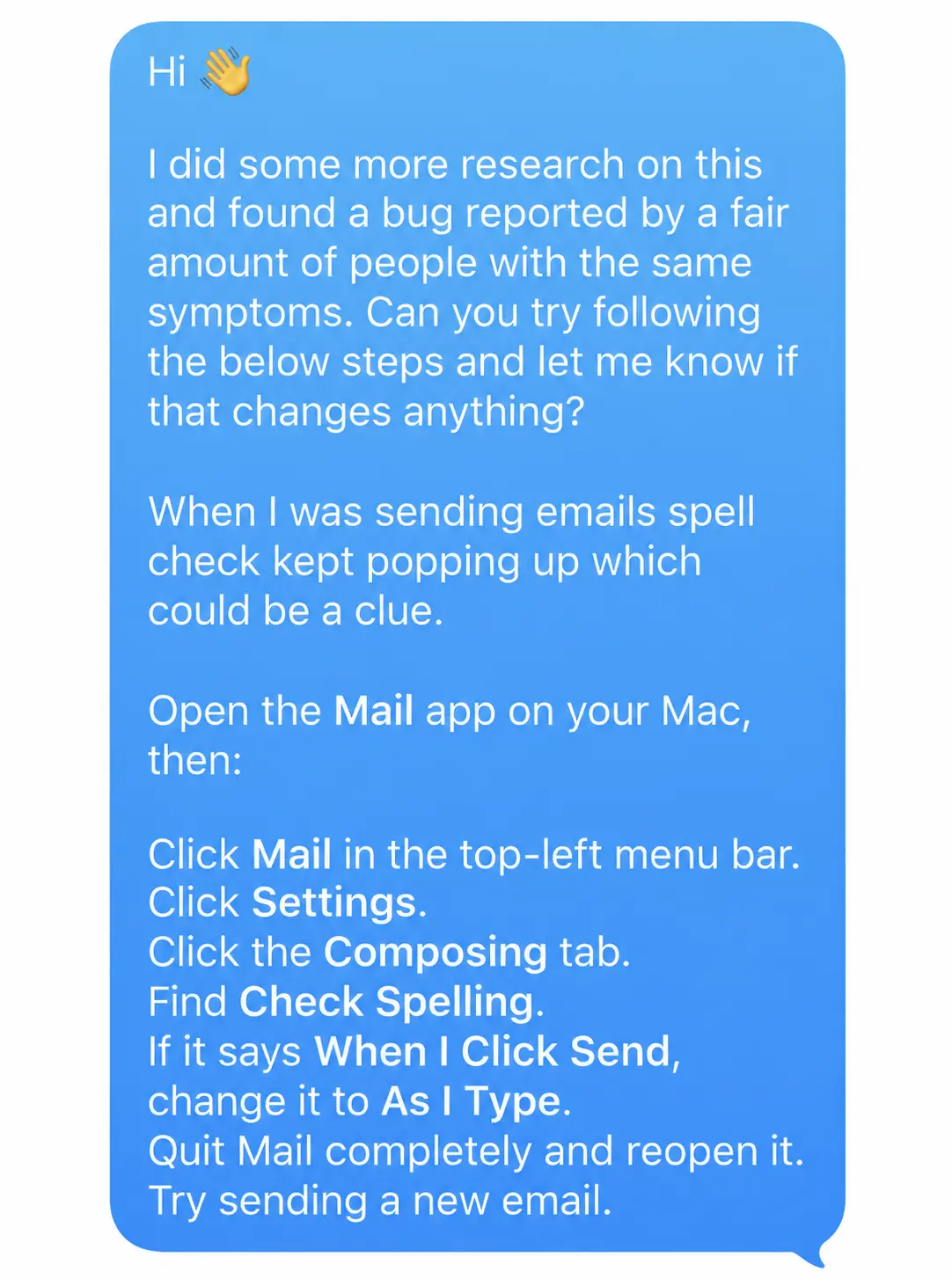
Apparently, there is an Apple Mail bug where, if the Composing setting for Check Spelling is set to When I Click Send, clicking Send can cause the send button to gray out without actually sending the message.
The workaround was:
Mail → Settings → Composing → Check Spelling
Change When I Click Send to As I Type or Never.
That was it.
I texted her the instructions that night after they left.
She tried it.
Email started working.
What got me wasn’t just how simple the fix was. It was how thoroughly I had talked myself out of the evidence in front of me.
The account worked in Yahoo. It worked on her phone. Apple Mail said SMTP was connected. But because I had decided at the beginning that this was a server problem, every new clue somehow sent me back to the server.
I had spent an hour trying to fix a connection that was already working.
The send button was stuck because of spell check.